Tuesday, December 23, 2014

Wednesday, December 17, 2014
Batmobile Armored Ver2.0
An "upgraded" version of my old Batmobile model.
BATMOBILE Armored Ver2.0
by Chaitanya Krishnan
on Sketchfab


Heres the older one
batmobile armored
by Chaitanya Krishnan
on Sketchfab
by Chaitanya Krishnan
on Sketchfab
Heres the older one
by Chaitanya Krishnan
on Sketchfab
Sunday, December 7, 2014
Merman
This was one of my older sculpts.. few years old, obviously inspired a by Davey Jones.. but hopefully less grotesque :).
This was Done in Sculptris(a free 3d sculpting software)

Due to the complex geometry on the face i had to print it face down with all the scaffolding on the face.. removing it post print took a while(more than a day) after cutting off a few layers it had to be left in the sun so that some of the inner areas that were still wet.. could cure and harden.


Saturday, December 6, 2014
Is your Vine app buggy?
Is your Vine app suddenly buggy?
Mine has been for a while. At first i thought it was my aging phone(moto Defy+) but then it continues to be buggy on my Nexus5 as well.
The issues have mainly been with the option where you can import an existing video from your phone.. the app just white screens and goes back to a blank timeline.
Am sure the Vine team will fix it eventually.. but..
For now these are the temporary fixes I use.
Option 1- Wipe the app after every 2-3 uploads. It actually sort of works.
1) exit the app.
2) if your using a custom launcher just touch and hold the app icon to get to the "app info" ..


3) force stop the app

4) empty data and cache..
 voila the app should work fine now (for a few uploads atleast).
Option 2- Use the 3rd party desktop alternative VineClient
This is a chrome extension that lets you login via your desktop browser.. thus totally bypassing the mobile app and its bugs.
the only caveat is that it requires you to login with an email id rather than the more popular twitter login method. But its easy enough to do. I just had to login to vine.co , go to settings and reset the password.. and it worked.
After that i was able to post vines with no more issues.
heres their video installation guide
In a nutshell:
1) download the extension file manually by clicking here and saving the file to your computer.
2) in chrome type this into the address bar - chrome://extensions
3) Open a file browser and drag and drop the extension file from that window into the chrome page to install it.
4) A popup is going to ask your for permissions to install the extension, click "Add".
Mine has been for a while. At first i thought it was my aging phone(moto Defy+) but then it continues to be buggy on my Nexus5 as well.
The issues have mainly been with the option where you can import an existing video from your phone.. the app just white screens and goes back to a blank timeline.
Am sure the Vine team will fix it eventually.. but..
For now these are the temporary fixes I use.
Option 1- Wipe the app after every 2-3 uploads. It actually sort of works.
1) exit the app.
2) if your using a custom launcher just touch and hold the app icon to get to the "app info" ..
for vanilla android users, get to it via Settings/apps/ and so on.
3) force stop the app
4) empty data and cache..
Option 2- Use the 3rd party desktop alternative VineClient
This is a chrome extension that lets you login via your desktop browser.. thus totally bypassing the mobile app and its bugs.
the only caveat is that it requires you to login with an email id rather than the more popular twitter login method. But its easy enough to do. I just had to login to vine.co , go to settings and reset the password.. and it worked.
After that i was able to post vines with no more issues.
heres their video installation guide
In a nutshell:
1) download the extension file manually by clicking here and saving the file to your computer.
2) in chrome type this into the address bar - chrome://extensions
3) Open a file browser and drag and drop the extension file from that window into the chrome page to install it.
4) A popup is going to ask your for permissions to install the extension, click "Add".
Wednesday, November 26, 2014
3d Printed Puch 250 SGS
This model was comissioned by a goldsmith.. aparently his client loved this bike and wanted it as a pendant in gold..
 |
| Displayed here in Blender's matcap gold. |
Modelled entirely in Blender using some photographic refrence material.
The final model is quite different and this one wasnt used.. but it stayed a favorite.
on Sketchfab

 |
| That hand break lever is a 1mm thin hair! |
there was space on the build platform so i crammed in this dogtag model..

UPDATE:
Cutting it out of the scaffolding proved to be quite a task. Usually one can just tear off the scaffolding.. its designed to break away easily.. but this time i realised that there were a lot of delicate teeny tiny details on that side.. like the kick start lever.. which as it turned out was a couple of hairs thick.. so anyway i wound up sitting with the clippers that came with the printer.. and manually clipping each and every bit of scaffolding.
Heres the unsanded result..


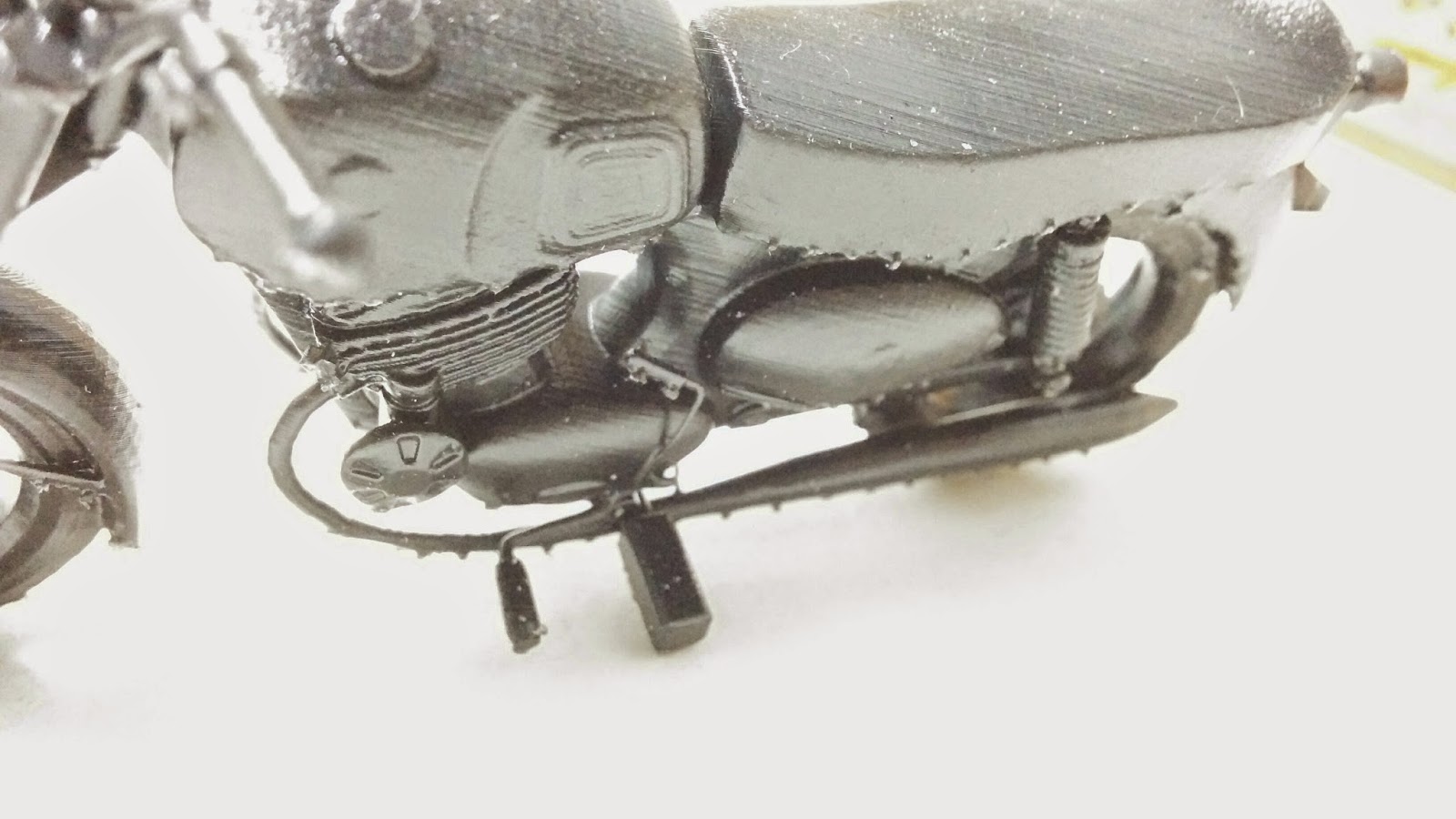
Heres the Puch that was finally used by the client.. i guess i'll be printing it next :)
puch 250 sgs 024_merged
by Chaitanya Krishnan
on Sketchfab
The 3d Printed Bird
The next proper print was something i modeled a few days back..
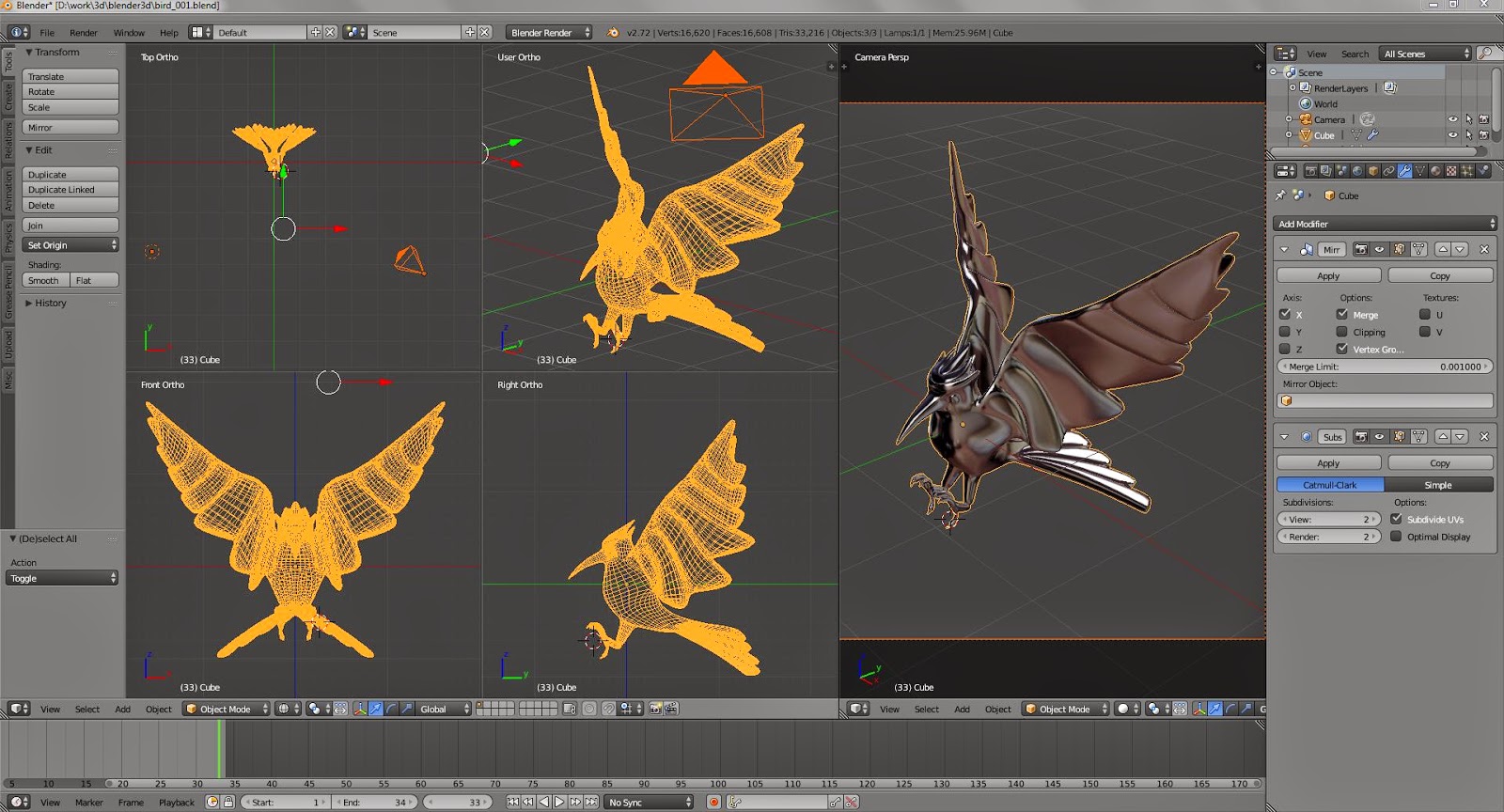
Its a bird in the mockingjay pose… modelled and sculpted in blender..
by Chaitanya Krishnan
on Sketchfab
I printed a simplified version(complex version is at the end of this post).. all the long tendril like feathers are pretty bad geometry.. it was a very rough sculpt.

Its gorgeous in the transparent material, but the beak and talons didn’t print properly


heres the more complex one i plan to print eventually
First set of 3d prints
So a while back I was commissioned by Sketchfab to do models of various 3d printers. Some of these were very basic models..they didnt need much detail


heres the 3d model of the creature
Brain Bug
by Chaitanya Krishnan
on Sketchfab
Formlabs the company that makes that Form1 3d printer contacted me a few weeks back.. they want me to do a more detailed model.. so have sent me the printer for a month!!!!
Its one of the best(very detailed prints) and expensive printers out there.. and i started printing with it a couple of days back.. heres one of the first things i printed.. and then painted..
heres the 3d model of the creature
by Chaitanya Krishnan
on Sketchfab
A quick sculpting and texture painting exercise in Blender. heres the animated model
Subscribe to:
Posts (Atom)